GST worked out the jeweller's way
JewelBooks calculates taxable value after discount, then adds CGST and SGST for in-state sales or IGST for out-of-state sales. Jewellery GST, making charges and old metal exchange are handled in the sequence jewellers follow, so the bill total and the tax figures match.
GST reports you can check before you file
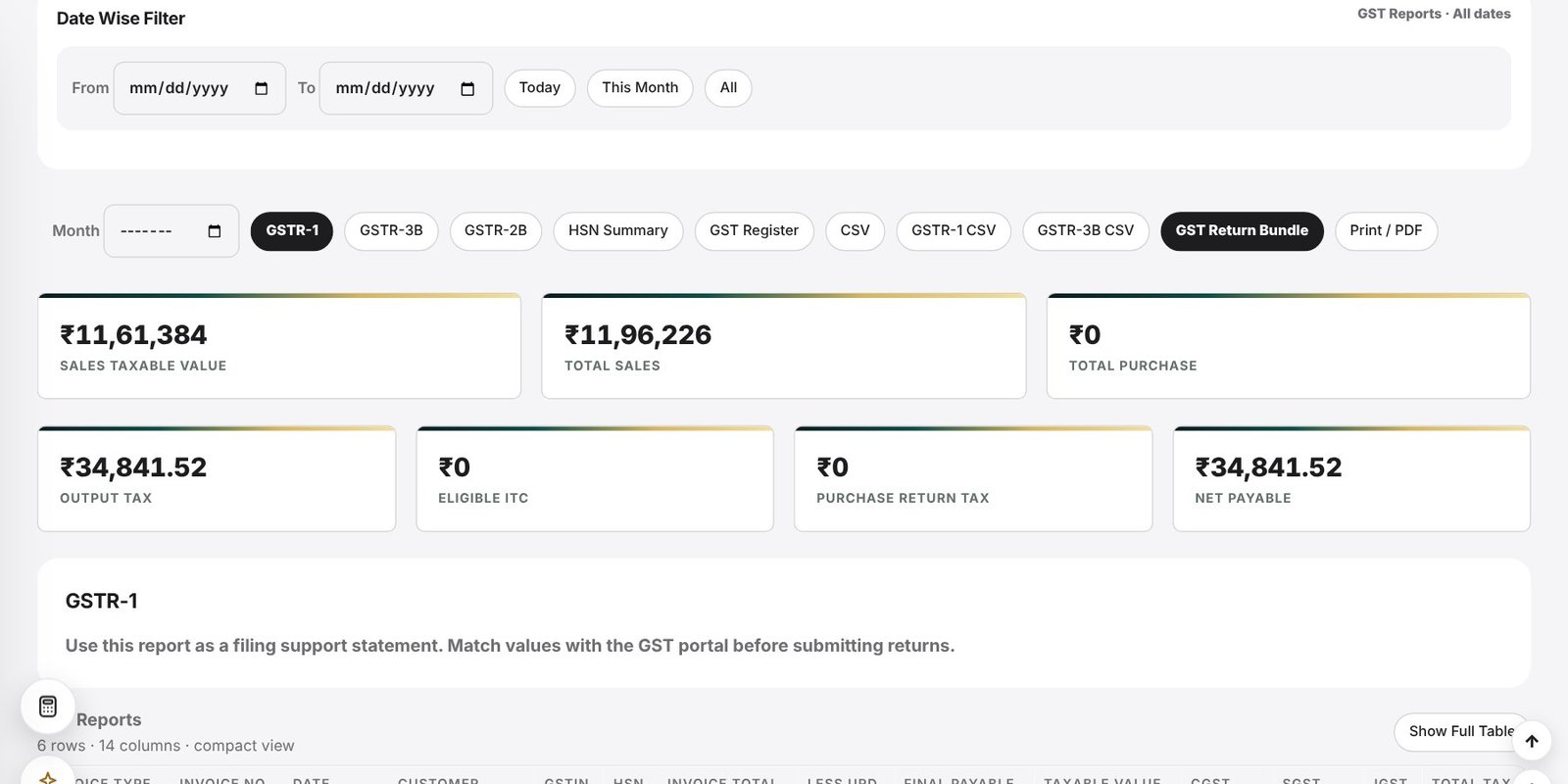
Open GST Reports, choose the month, and view GSTR-1 style sales data, GSTR-3B style summary, GSTR-2B style purchase data, an HSN summary and a full GST register. Export to CSV or print to PDF for your accountant.
- GSTR-1 and GSTR-3B support statements
- GSTR-2B style purchase view
- HSN summary for the month
- GST register with invoice-wise tax
- CSV export and Print / PDF
Catch problems early
The AI Assistant and business warnings point out missing HSN or GSTIN, wrong GST or IGST selection and report differences, so you can fix them before the return is prepared. Reports are filing support: always match the values with the GST portal before submitting.
Purchases and ITC
Purchase vouchers, purchase returns and URD purchases feed the GST position, including eligible input tax credit, so your net payable is visible at any time on the dashboard.
Frequently asked questions
Does JewelBooks file GST returns for me?
No. It prepares GSTR-1 and GSTR-3B style statements, HSN summaries and registers. You or your accountant check them against the GST portal and file there.
Can it show CGST, SGST and IGST separately?
Yes. Each voucher stores CGST, SGST and IGST, and the reports total them by period.
Is there an HSN summary?
Yes. The HSN summary lists taxable value and tax by HSN code for the selected month.
Can my accountant get the data?
Yes. Reports export to CSV or PDF, and backups can be downloaded at any time.